User Interface Builder

Let our UI Builder generate a user interface based on your data. If needed, write custom HTML to adapt the UI to your needs and use our templating language to create dynamic content.

« Previous feature
Start free trial

No credit card required for the 14-day free trial.
Next feature »
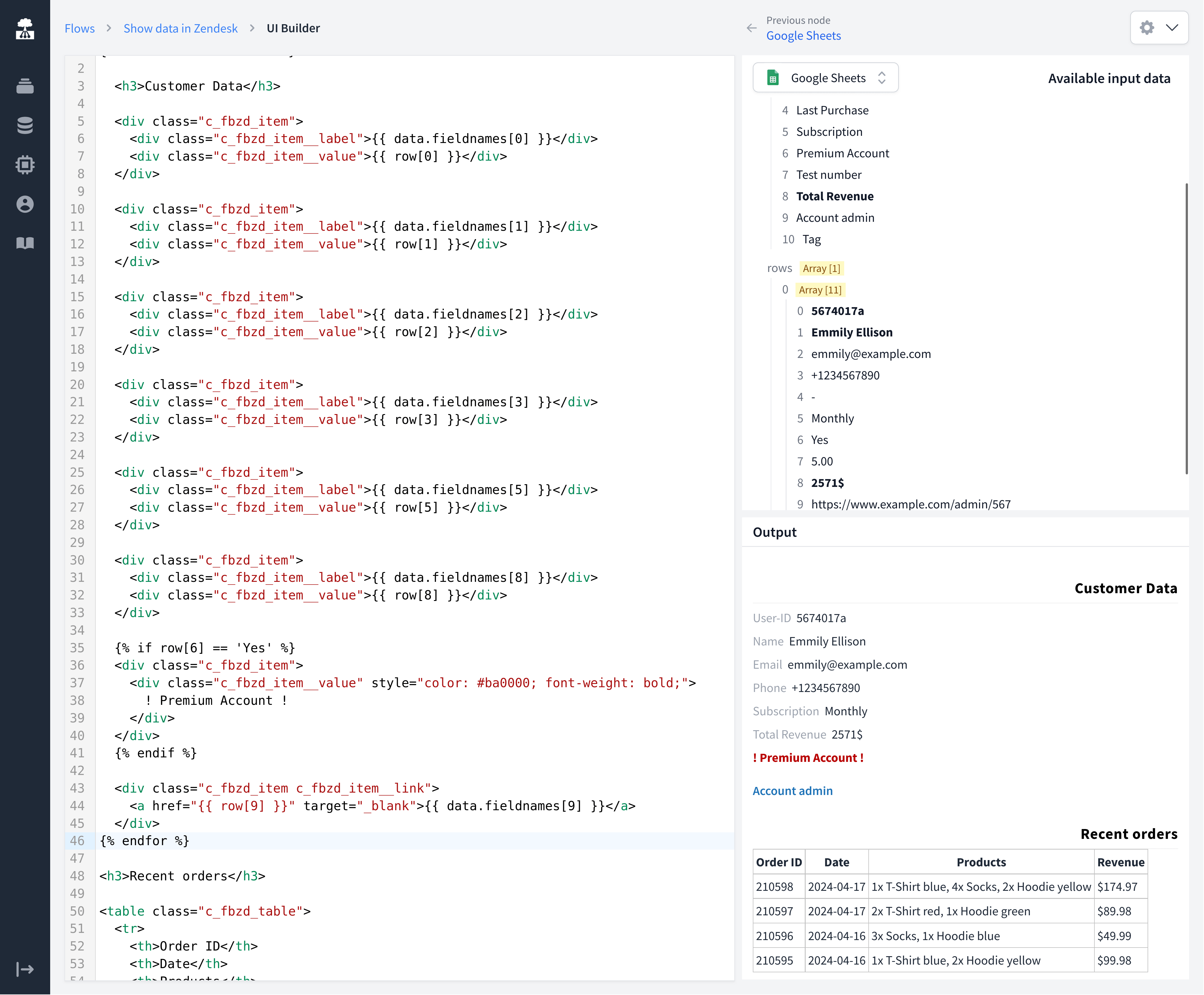
Build and customize beautiful UIs and see a preview immediately in our UI Builder.

Build and customize beautiful UIs and see a preview immediately in our UI Builder.

No-Code to Low-Code

Build Beautiful UIs

For most use cases our UI Builder can generate great user interfaces based on your raw data. When you need to, jump in and use HTML code to customize your UI. For advanced user interfaces add your own CSS or JavaScript and use our templating language that’s based on Liquid/Jinja2.

From Data to Interface

From raw data to polished UI

1

Raw data comes in

Your pipeline delivers JSON data from databases, APIs or spreadsheets. This is raw, unformatted data — just fields and values.

2

Auto-generate a UI

Click "Generate" and FactBranch creates a clean, readable interface from your data. Tables, labels and formatting are applied automatically based on the data structure. See the UI Builder documentation for details.

3

Customize with HTML and CSS

Need more control? Edit the generated HTML directly. Add conditional formatting, custom styles, clickable links or interactive elements. The live preview updates instantly as you type.

Full Control

Customization options

Liquid/Jinja2 templating
Use variables, loops and conditionals to create dynamic content. Show different information based on customer type, highlight overdue accounts or hide empty fields automatically.
Custom CSS
Style your interface to match your brand or team preferences. Change colors, fonts, spacing and layout. Or use the already optimized FactBranch default style.
JavaScript hooks
Add interactive elements like copy-to-clipboard buttons, expandable sections or links that open in new tabs. Our ChatGPT in Zendesk tutorial shows how to build an AI-powered interface with custom JavaScript.

Frequently asked questions

Do I need to know HTML to use the UI Builder?
No. The auto-generate feature creates a complete interface from your data with one click. HTML knowledge is only needed if you want to customize the output beyond the defaults.
Can I use custom CSS to style the interface?
Yes. You can add any CSS to control the look and feel of your interface. Or use the already optimized FactBranch default style.
Can I add interactive elements like buttons?
Yes. You can add JavaScript to create interactive elements such as copy buttons, collapsible sections and dynamic links. The templating language also supports conditional rendering based on your data.
Next feature »